POSTOLA AI · Answer
How do I use POSTOLA AI?
Sign up at postola.app with Google or an email code and you get 40 free credits. Tap Create, upload one clear photo of your product, pick a mode, length (5 to 30 seconds), language and shape, and tap Generate. In about 2 to 3 minutes the video is in your Gallery, ready to download or post.
The modes, on the Create screen. Product Marketing turns one product photo into a cinematic ad (37 credits for 5 seconds). AI Avatar Marketing puts your product in a presenter's hands, who talks about it in English, Hindi or Hinglish (55 credits). Virtual Try-On shows your clothes on a model (31 credits for 5 seconds). AI Photoshoot makes studio-style product photos (10 credits a photo). Text to Video films a one-line idea with no photo (4 credits a second). UGC Mode makes creator-style ads.
Shortcuts. Add up to 4 photos of the same product for one video, or paste your shop's website link and POSTOLA AI picks up to 6 product photos from it. Leave the motion prompt empty and POSTOLA AI writes one for you.
After it is made. Every video and photo lands in Gallery. Download the MP4 free, or tap Instagram, Facebook or YouTube to post: connect each account once, keep or edit the caption and hashtags POSTOLA AI writes, and post (1 credit a post). Analytics shows what you made and spent. A video that fails or gets stuck is refunded automatically.
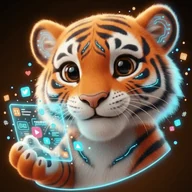
Other ways in. WhatsApp: connect your number once on the WhatsApp Bot page, then send a photo or one line to the POSTOLA AI WhatsApp number and pick options from the menu; the video comes back in the chat. A WhatsApp order costs 8 credits more than the same thing on the website, to cover the chat messages. Claude: open the MCP page, add POSTOLA AI as a custom connector in Claude, and ask for videos in plain words. Sheru the tiger, in the bottom corner, answers questions and can start a video by voice. The whole app works in English, Hindi and Hinglish. God Mode, which plans, makes and posts a whole campaign on a schedule, is coming soon.
Credits. Prepaid, no subscription, and they never expire: Starter ₹99 for 99 credits, Pro ₹499 for 500, Max ₹1499 for 1500, or any amount from ₹99 on the Pricing page. The exact cost is shown before you tap Generate.
How it works
- 1. Upload or type. Add one phone photo of your product, or type one line about the video you want.
- 2. Pick. Choose the type, length, shape and language (English, Hindi or Hinglish).
- 3. Get it. The finished video or photo arrives in a few minutes, ready to download or post to Instagram, Facebook and YouTube.
Free credits at signup, no card needed · pay once, no subscription · credits come back automatically if a video fails · also on WhatsApp and the Android app.
What each thing costs
| Item | Credits | Note |
|---|---|---|
| Product video, 5 seconds | 37 | Free with the 40 signup credits |
| AI avatar video, a presenter talks about your product | 55 flat | English, Hindi or Hinglish |
| Virtual try-on video, 5 seconds | 31 | Your clothes on a model |
| Text to video | 4 per second | 40 for 10 seconds |
| AI photoshoot | 10 per photo | Studio-style product photos |
| Post to Instagram, Facebook or YouTube | 1 per post | Connect each account once |
| Download | 0 | From Gallery, any time |
One credit is one rupee on the Pro pack. Full price list on the pricing page.
Questions people ask next
What do I need to start?
One clear photo of your product on your phone. No card needed: a new account gets 40 free credits, enough for one 5-second product video.
Can I use it without the website?
Yes. Connect your number once on the WhatsApp Bot page, then make videos by chatting with the POSTOLA AI WhatsApp number. You can also connect POSTOLA AI to Claude from the MCP page.
What if a video fails?
POSTOLA AI stops it, puts the credits back on your balance automatically, and emails you.
Which languages does it speak?
English, Hindi and Hinglish, for the app screens and for the voice in AI avatar videos.